The Stalled-Reply Revenue Leak Calculator
By Jo Thomas, CEO & Co-Founder · Enrola
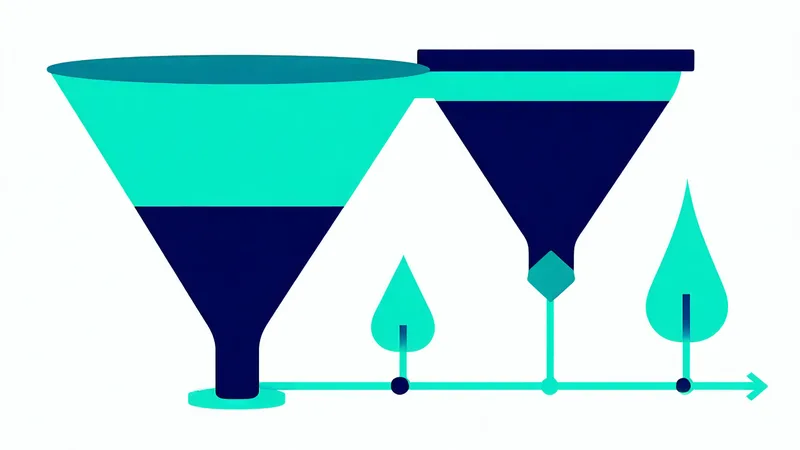
Pipeline reviews focus on what's in the funnel. Stalled-reply losses don't show up there — they sit in the space before a deal is formally created, in threads where a prospect replied but a follow-up never landed. Those losses are invisible to standard reporting until you calculate them directly.
The calculator on this page lets you estimate how much pipeline you're leaving unworked each quarter from stalled inbound replies. The section below explains the model, where each input comes from in your CRM, what the realistic ranges look like for mid-market B2B teams, and how to interpret the output before you start pulling levers to fix it.
How the model works
The calculation is a simple funnel from raw reply volume down to estimated quarterly pipeline value. Five inputs, one output.
- Inbound replies per month: the total count of prospect-sent messages hitting your inbox across active sequences and inbound channels. Exclude bounces, out-of-office auto-replies, and unsubscribe confirmations — count only genuine human replies. If you're running HubSpot sequences, this is the Email Replied event count on enrolled contacts filtered to the last 30 days. In Salesforce with an email integration, it's Activity records with type "Email" and direction "Inbound."
- Percentage left unworked: the share of those replies that go past your response-window threshold — typically 48-72 hours — without a follow-up action from a rep. "Follow-up action" means a rep-sent message in the thread, a CRM task completed, or a meeting booked. For most mid-market B2B teams without a dedicated reply-triage workflow, 35-55% is a realistic range. Teams with a single SDR managing high sequence volume and no structured reply queue can run higher.
- ICP-fit rate within the unworked set: not every unworked reply is a missed deal. This input applies your ICP filter to the unworked cohort — what fraction came from companies and roles that actually match your target. A contact whose Lead Status shows "Replied" but whose company has 8 employees and is in a vertical you don't serve is not a missed opportunity. The ICP-fit rate isolates the threads that were genuinely worth working. A conservative starting estimate for a typical mid-market B2B SaaS inbound set is 20-30%; teams with tightly targeted outreach see this higher.
- Average deal size: your standard ACV or average closed-won deal value for deals originating from inbound sequence responses. Use the same figure you'd report in your CRM's closed-won analysis — not a target or aspirational number.
- Close rate from qualified meeting: your historical rate of closing a deal once a qualified first meeting (demo or discovery call) is booked. This is the conversion rate from meeting to closed-won, not from contact to meeting. For mid-market B2B SaaS, this typically runs 15-30% depending on deal complexity and qualification standards.
The output is an estimated quarterly pipeline value: the pool of deals you could reasonably expect to close if the unworked ICP-fit threads received timely follow-ups and converted to qualified meetings at your normal rate. It is not a guarantee — not every stalled thread can be revived. But it sizes the opportunity, and for most teams the number is larger than they expected before running the calculation.
Where to find your inputs in HubSpot and Salesforce
The unworked reply rate is the input most teams have to estimate rather than pull directly, because most CRM configurations don't track "reply received but no follow-up within 48 hours" as a reportable metric. If you want to measure it accurately rather than estimate it, here's the approach:
In HubSpot: create a contact list with filters — enrolled in any sequence, Email Replied event in the last 90 days, Lead Status not equal to "Connected" or "Qualified," no meeting booked. The size of that list divided by total reply-event contacts in the same period is your unworked rate. It's not a perfect measure — the Lead Status filter depends on your team's CRM hygiene — but it's directionally right.
In Salesforce: query Activity records where type = Email, direction = Inbound, created in the last 90 days, and the associated Contact has no subsequent outbound Activity within 72 hours and no Opportunity created. This requires a report with related objects but is achievable in Salesforce's native report builder with the right filters.
If you'd rather start with an estimate and refine later, use 40% as your working baseline unworked rate and adjust based on what you know about your team's triage discipline. If your SDRs have structured reply-triage calendar windows and CRM task workflows, go lower. If reply management is purely self-directed with no systemic workflow, go higher.
Realistic ranges and what the output means
To give you a sense of where teams typically land: a growing B2B SaaS organisation with five to ten reps running 400-600 outbound sequences per month will typically see 80-150 replies per month. With a 40% unworked rate and a 25% ICP-fit rate within the unworked cohort, that produces roughly 8-15 unworked high-fit threads per month, or 24-45 per quarter.
At a $20,000 average deal size and 20% close rate from qualified meeting, 24-45 unworked qualified threads represents $96,000-$180,000 in quarterly pipeline value not being captured. Those numbers will shift based on your actual inputs — which is why the calculator is there — but they illustrate the order of magnitude. This is not a marginal improvement opportunity. For most early-stage and growing B2B teams, it's a material pipeline gap.
We're not saying all of that pipeline is recoverable. Some threads will be stale beyond the point of efficient re-engagement, and cold-reply conversion rates are lower than warm-response-window rates. A realistic recovery assumption is 40-60% of the unworked pool, which still represents a meaningful number against most teams' quarterly pipeline targets.
The cost structure of recovery
One reason this calculation matters beyond the revenue number: the cost to recover stalled inbound pipeline is substantially lower than the cost to generate equivalent pipeline through new cold outreach.
Cold outreach requires list building, sequence setup, deliverability maintenance (SPF/DKIM/DMARC alignment, domain warming, sender reputation management), and iteration over multiple touchpoints before getting a reply. Industry norms for cold email put meaningful reply rates in the 3-8% range depending on targeting quality and message quality. Getting 20 qualified conversations from cold outreach at those rates requires reaching hundreds of new prospects.
Stalled-thread recovery starts with prospects who already responded. The relationship has context. The conversation has history. The follow-up can reference the specific thing the prospect said rather than opening cold. Re-engagement rates on well-timed stalled-thread follow-ups are meaningfully higher than cold reply rates — and the cost is a fraction of building new pipeline from scratch.
The calculator output is the size of the shortcut. The operational question it raises is whether you have the triage infrastructure to take it.
What to do with the number
If the quarterly leak figure from your inputs is large enough to warrant attention — and for most teams it will be — the next step is identifying the operational gap that's generating it. The gaps typically fall into three categories:
No reply-triage workflow: replies are arriving in rep inboxes with no structured process for identifying which ones need action within 48 hours. Fix: build a HubSpot workflow or Salesforce Flow that creates a high-priority task when a reply comes in without a subsequent rep action within 48 hours.
No thread-context handoff: reps see the reply notification but have to manually cross-reference CRM to decide if it's worth working. Fix: ensure the CRM task includes the ICP score, company and role data, and a link to the thread so the triage decision can be made in seconds, not minutes.
No priority ordering: all replied threads look equal in the rep's queue. Fix: surface threads by ICP score and thread age so the highest-fit, most time-sensitive threads appear first, not the most recently arrived.
The pipeline already exists. The numbers are already in your inbox and CRM. The question is whether the operational mechanics are in place to capture them before they go cold.
Calculate your stalled-reply revenue leak
Adjust the sliders to match your team's metrics. The result updates in real time.
This is the pipeline value you're leaving unworked each quarter — meetings Enrola could be booking automatically.
Start recovering it — free trial